

Internet Recipe Hunting and Recipe Reformatting Tips
A Tutorial in Three Parts
Part I: Hints for the Intrepid Internet Recipe Hunter
By Harry {doc} Babad and edited by Julie M. Willingham
Introduction
It’s been a bit less than a year since I’ve given serious thought to the how’s and why’s of recipe hunting. Although chasing recipes is relaxing for me, from my partner’s perspective it is a frivolous, if harmless, exercise. Part of her reasoning is that with only the two of us in the house, we cook less and less. True, at least until she needs a special recipe for a special occasion. I also cook a little, sometimes creating from scratch and available ingredients to suit my fancy.
At other times, I pick something of interest from my very large collection of digital references. And since I remain an information junkie, if my messing around in the kitchen or on the Internet turns out well, I might as well capture what pleases me. This article and the two parts that follow serve as a chronicle of my recipe hunting habits and how I tweak, add to, or capture recipes to create final, collectible copies that have all of the Internet sites’ extraneous material removed.
So, you might ask, if I don’t cook very much anymore, why do I insist on chasing more and more recipes? First, since I have a good imagination, I can almost taste the recipes I read. I’ve spent years cooking the foods of many nations and cuisines, as well as, when lucky, eating at some great restaurants. If I lived in a major urban area, I’d likely eat out several times a week at the small local ethnic places that have great food at retiree prices; but I’m here in the Tri-Cities, where such opportunities are few.
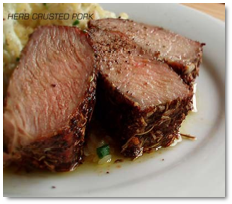
So when reading about food, sensing its taste becomes an almost vicarious thrill. (Don’t knock it! When you’re seventy plus years old, lots of things become a bit more vicarious.) First of all, it’s fun to see the pictures and read the stories of foods of the world. I’m also somewhat travel averse, so I haven’t taken any of the great foreign food tours that have become popular in the last 10-15 years. Therefore, unless a miracle happens, I’m not likely to get out for a grand-taste tour.
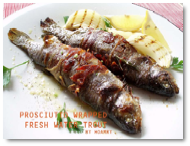
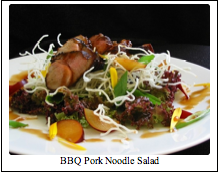
Since much of Part I contains lots of words and links, I thought I’d spice up things for you by dispersing great food pictures I’ve downloaded, to whet your appetite. Since I’ve named each dish, it should be a no-brainer for you to find the recipe on the Internet. |
Fortunately for me, the recipes in my food magazines are all on the publishers’ websites, as are many of the stories. In addition, though I don’t watch TV much, sites such as the Food Network also have great online food-oriented recipes and articles.
Nonetheless, as noted in previous food-oriented columns and reviews, I’ve always been vaguely dissatisfied with both the contents and appearance (layout) of the recipes I’ve captured from the Internet. This is not a problem when inputting my own recipes into MS Word, where I control the content and overall appearance of the recipe, complete with inserting the cooking-related images I capture or create. (For my earlier thoughts on this topic, check out “Rants, Raves, and Revelations – March 2006. Annotating and Making Text Recipes Pretty – It takes more than one tool”, in which I shared information about enhancing simple recipes.)
Tutorial Overview:
So, my purpose in this three-part tutorial over the nest 3 months, is to share a few of my favorite recipe sites and talk a bit about the issues associated with downloading from these websites and others. I’ll also discuss how I clean up and customize recipes captured from the Web.
Part I – Hints for the Intrepid Internet Recipe Hunter
Part II – Take a Shortcut to Recipe Capture with MS Word
Part III – Complex PDFs and their Customization
In Part I, I focus on sharing information about where I chase recipes, and the features and limitations of those sites with respect to capturing and modifying their contents to make them look good and easier to use. Whether or not the sites please your taste buds depends on what you eat and cook, something I’m not going to get into your face about.
Parts II and III will involve working with three pages of Darlene Schmidt’s multiple-page, multi-image recipe, Easy Thai Green Curry Chicken, found at http://thaifood.about.com/od/thairecipes/ss/greencurry.htm. The focus of Parts II and III will be on extracting the meat (bad pun) from an eight-segment, detailed, and well-illustrated set of web pages, and converting that material into a crisp, easy to read, two-page recipe to add to my collection.
 So Why Bother
Editing Recipe Downloads?
So Why Bother
Editing Recipe Downloads?
There are three reasons to clean up a PDF file of a downloaded recipe captured by printing it to PDF (also true when dragging it to MS Word):
- to trim unneeded information for the recipe, thus shrinking the file size;
- to add an image to the recipe;
- to modify the recipe by changing the ingredients, adapting the cooking instructions, or adding other information.
Note that my criteria for a clean recipe are one that consumes the fewest PDF or MS Word pages, can be easily read when printed, is well laid out, and contains minimal white space.
Whenever I capture a website recipe by printing to PDF, I use the printer-friendly version, if available. This will automatically remove website-related sidebar information and general headers that have nothing to do with the recipe. Alas, that sometimes removes the image, so you will need to add it to the recipe, if a picture is worth – to you – a thousand words. If no printer-friendly version is available and you want to save the recipe as a PDF, you’re going to need to use the Acrobat Crop tool in it’s Trim mode to get rid of the unwanted stuff. Hint: Before going this route, print the recipe to PDF and see what you captured. Some sites automatically strip away the unneeded material when you select print. You can also, on some sites, print the recipe in 3 X 5 or 4 x 6 recipe card sizes, if you collect recipes in file boxes. |
Okay, Let’s Go Recipe Hunting
There are as many ways to chase recipes as there are people. Let me list the general ways that I get where I want to go:
Do a search for a recipe or main ingredient — This is my method of choice when I’ve come across the name of a dish and want to know more about it. The good news is that you’ll get thousands of hits on Google and will have to check them out in further detail. The bad news is that this may be a tedious process. But whenever I find a really good site the hard way, by accident, I add it to my list of links that I may again visit.
 Search for
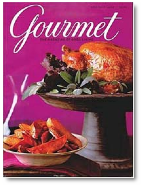
recipes from food magazines you read — Obvious and often easy to do,
although sometimes the article title and dish name differs from the actual name
of the recipe. That’s okay; you might stumble onto something else you’ll like.
Search for
recipes from food magazines you read — Obvious and often easy to do,
although sometimes the article title and dish name differs from the actual name
of the recipe. That’s okay; you might stumble onto something else you’ll like.
Search for a specific dish whose name or picture you run across in a food- or travel-related blog — What’s this about, you ask? Well, an example won’t hurt. I found a great recipe for beef satay on the Epicurious site, but it was not illustrated. I went to Google Images to find a picture to illustrate the recipe, found a great picture of beef satay without skewers, and added it to my PDF recipe. But curiosity drove me to explore more fully the site that featured the fine beef satay image. Wasn’t I surprised to find hundred of posts about food, many with recipes that looked like fun. That site was http://www.stefmike.org/mt-archives/cat_culinary.html.
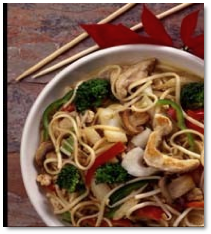 There were great
pictures of these dishes on the stefmike.org site, but, alas, no recipes. Foods
that seemed interesting included Thai Chap Chye and
Chye Poh noodles, rack of lamb oriental, chicken noodles four seasoning soup,
bacon spinach pizza, and Gai Lan (Chinese broccoli). So I put a few of these
images that had no recipes, labeled with the names of each dish, into a folder
to chase on another day.
There were great
pictures of these dishes on the stefmike.org site, but, alas, no recipes. Foods
that seemed interesting included Thai Chap Chye and
Chye Poh noodles, rack of lamb oriental, chicken noodles four seasoning soup,
bacon spinach pizza, and Gai Lan (Chinese broccoli). So I put a few of these
images that had no recipes, labeled with the names of each dish, into a folder
to chase on another day.
Pick a site and browse for your favorite ingredient or cuisine — I routinely look for Chinese or Asian recipes, Greek food, lamb in all of its variations, and seafood, especially shrimp. I found great seafood dishes at http://www.pastrywiz.com/archive/category/seafood.htm
To show how rich in recipes a site can be, check out the Hungry Monster site http://www.hungrymonster.com/recipe/recipe-search.cfm. On the day I started writing this tutorial, it contained 500 Chinese recipes, about 400 Greek recipes, and a bit more than 200 recipes to meet my needs for lamb. I wasn’t aware that there were 750 recipes for sauces, plain or fancy, nor that there were over 2000 recipes, should you like to cook on your grill.
Check out the name of a dish in Google Images and follow the links to the recipe — This one is the most fun, although back-linking can lead you to dead ends. You can also sometimes come up with some interesting variations on what may seem an ordinary dish.
Food Sites That Please
Before I provide a partial list of some of my favorite food-related sites, I shall attempt to define the characteristics I believe make a good recipe site:
The Recipe Itself — That’s so obvious that we needn’t discuss it further. If it ain’t interesting, who wants it?
Searchability — The site should be easy to search. You should be able to find interesting recipes by looking for a main ingredient or cuisine (e.g., Italian, Appalachian). The search results should provide an easy to read list of recipes, preferably with a few words of description.Essential Tools: Glossaries, Encyclopedias of Techniques, and Cooking Calculators — The best sites also provide a glossary of cooking terms, preferably describing the specifics of the cooking techniques. Also, when chasing an unfamiliar spice or sauce, you should get an easy to understand description, source, and examples of how the ingredient is used. (But don’t ignore a site that doesn’t provide these tools, since you can access them as stand-alone resources or from other sites.) Cooking calculators allow you to easily convert metric units to English units and liquid measures to solid measures. In addition, some sites allow you to change the servings so that you can print a recipe for 4 or 40.
|
|


Background and Images — I enjoy information about the dish, its origin, or the general cuisine in its region of origin. These facts are always are fun, as are pictures of the completed dish. This is information that I may add to some recipes.
§ § § § § § § § § § § § § § § § § §
Some Recipe Sites I Enjoy:
Alaska Seafood Marketing Institute http://www.alaskaseafood.org/recipes/search/results.cfm
Alberta Egg Producers — http://www.eggs.ab.ca/recipes/
American Egg Board — http://www.aeb.org/Recipes/
Asian Food Recipes — http://www.asiafood.org/recipe_home.cfm
CAlor Grills UK BBQ Recipes — http://www.barbecue-online.co.uk/bbq_recipes.htm
CDKitchens Site — http://www.cdkitchen.com/recipes
Cooking with Kristina — http://www.cookingwithkristina.com/
Conagra Foods Site — http://www.conagrafoods.com/recipes
Eating Well — http://www.eatingwell.com/
Epicurious [Gourmet and Bon Appétit Magazine] — http://www.epicurious.com/gourmet/
Iowa Beef Industry Council — http://www.iabeef.org/Content/recipes.aspx
Iowa Egg Council — http://www.iowaegg.org/EggRecipes.asp
Margarita's International Recipes — http://www.marga.org/food/all.html
Martha Stewart’s Recipes — http://www.marthastewart.com/
Michael Chiarello's NapaStyle — http://www.napastyle.com/kitchen/recipes/recipes.jsp
Recipe Source - http://www.recipesource.com/
Simplot Foods — http://www.simplotfoods.com/index.cfm?content=recipes
Food Network — http://www.foodnetwork.com/
Williams-Sonoma Recipes — http://www.williams-sonoma.com/recipe/index.cfm?
Weber Grill Site — http://www.weber.com/bbq/pub/recipe/menu.aspx
§ § § § § § § § § § § § § § § § § §
Food and Cooking dictionaries and glossaries:
Cooking terms at Epicurious — http://www.epicurious.com/cooking/how_to/food_dictionary/
Food Network Encyclopedia — http://www.foodnetwork.com/food/ck_encyclopedia/0,1971,FOOD_9801,00.html
Glossarist: food glossaries and food dictionaries — http://www.glossarist.com/glossaries/lifestyle/food.asp
Kosher Cooking, Jewish Cooking Terms - http://www.jewishrecipes.org/jewish-cooking-terms/index.html
NineMSN — http://recipefinder.ninemsn.com.au/glossary/default.aspx
Wikipedia — http://en.wikipedia.org/wiki/Main_Page
Cooking Calculators – English to metric, fluid measures to weights, and more:
About.com’s Food Calculator — http://nutrition.about.com/library/bl_cooking_calculator.htm
The Epicurean Calculator — http://www.epicurean.com/calc/
Chef2Chef — http://recipes.chef2chef.net/conversion/
§ § § § § § § § § § § § § § § § § §
Okay, now you’ve a lot of great places to look for good things to cook and eat. (Actually, there are too many, and, if you’re compulsive, recipe hunting and cooking can become full-time jobs in the same way as becoming a Dungeon and Dragons fan.) Now you must decide how to bring those recipes onto your computer and change them to suit your fancy.
PDF or MS Word as a Capture Tool? — My first instinct, with a simple web recipe, is to print it to PDF. If there is a printer-friendly version, I’m done; or I may need to import a graphic. (This is the method I described in the March 2006 3Rs column.) For more complicated sites, or to keep embedded links, alternate methods are needed. (Remember that all links are broken when printing to PDF unless you use Acrobat’s web-to-pdf feature.)
Chopping up a huge multi-recipe blog file printed to PDF into recipe-sized pieces using the Extract pages and Crop pages features in Acrobat [see Part III] turns out to be too much work. This is especially true when a recipe you want to extract crosses several pages. In those circumstances, use drag-and-drop to grab the text and images of the recipe one at a time and paste them into MS Word.
On the other hand, using a PDF-based method allows you to keep the recipe’s original formatting. But be forewarned that printer-friendly almost always means not only without sidebars, but also without a picture. To add the food image back is easy, most of the time. In addition, by using the Touchup tools provided in Acrobat, you can often clean up a messy recipe in a few minutes.
Acrobat’s Touchup tools are useful should you want to make it truly your own by inserting text with Acrobat’s Correct Textual Mistakes tool; for example, should you want to add background information to a recipe that lack such details. This also works well if there’s not enough room to paste an image into a recipe and you want the picture to be on the last page. Check out the postscript at the end of this article for details.
 Other Observations About The Sites I Found:
Recipes From Image-Rich Sites — Most of the food association sites are either image-rich or contain images for all of the posted recipes, but not all of the images are of high quality. However, Google Images or Yahoo Images can be used as a fallback. The Martha Stewart site is interesting because its printer-friendly version captures the food images.
No, You Can’t Make Recipe Cards — Some sites, like the CDKitchens site, do not allow printing to recipe cards, but will allow you to print the recipe and reviews comments, at times providing interesting information and recipe variations.
How Many For Dinner? — Many recipe sites allow you to change the number of servings, allowing you to copy that recipe so you can serve it at the church buffet or at a family dinner.
Recipe Rich Blogs, A Treasure Trove — If the recipes I want to capture are in a long blog, either all words or pictures, I copy the text and images to separate MS Word documents. Although this is slightly more effort, it’s great for easily capturing the blogger’s comments in addition to the recipe itself.
When Document Size Matters
I now have two almost identical versions of Darlene Schmidt’s recipe: one obtained by tweaking and rearranging PDF files, and another by using drag-and-drop for key parts of the recipe into MS Word. The size of the combined PDF pages before deleting unneeded material from them was 10.7 MB, yet my final consolidated PDF version was only 666 KB in size.
The file created directly from the Web by selectively dragging web contents to MS Word ended up being 1.6 MB in size. When I changed the MS Word document, from within, to PDF using Adobe’s PDFMaker (installed in MSW as a part of Acrobat) the file shrank to 252 KB in size. So which tool you use to convert MSW documents to PDF files makes a difference. For example, printing the MS Word recipe to PDF using Apple’s print command left me with a 1.6 MB file. Guess which version I kept for my collection?
In Closing
 Although I prefer my
captured recipes in PDF, it is easier and faster for me to use MS Word for the
original capture and then to reformat it than it is to completely reformat a
complex series of PDF documents. For simple “add a picture” techniques, I find
using Acrobat to be faster, especially with images found on Google, Yahoo, or
other websites. I alternate between both techniques, in part by guessing which
will be less work. But, tuning up your downloaded recipes should be done with
tools you have and that you can comfortably use.
Although I prefer my
captured recipes in PDF, it is easier and faster for me to use MS Word for the
original capture and then to reformat it than it is to completely reformat a
complex series of PDF documents. For simple “add a picture” techniques, I find
using Acrobat to be faster, especially with images found on Google, Yahoo, or
other websites. I alternate between both techniques, in part by guessing which
will be less work. But, tuning up your downloaded recipes should be done with
tools you have and that you can comfortably use.
As for annotating recipes by adding an ingredient or changing the amount of an ingredient, there is, as in most cooking, no right way to modify recipes. Fix the ingredients quantities to the amount that you think will taste best. More garlic and adding chili flakes or other hot spices!
Check out Parts II and III for the rest of this tutorial. They deal with capturing recipes directly from the Web with Microsoft Word and with tuning complex, multiple-page recipes with Acrobat.
Do remember most of the material you captured has been copyright protected, but the fair-use clause allows you personal use. You can’t publish, sell, or otherwise commercially use the material without the copyright owner’s permission. Play nice, enjoy the recipes you collected and tuned, and work out a bit to leave space for more of the collected recipes you’ve cooked.
§ § § § § § § § § § § § § § § § § §
PS
Making Space for an Image in a recipe PDF by modifying its text with Acrobat’s Correct Textual Mistakes tool:
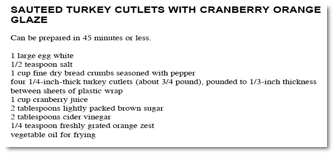
Okay, you want to add a picture into your recipe, let’s say Sauteed Turkey Cutlets With Cranberry Orange Glaze, which I downloaded from the Epicurious web site. You can either place the image at the end of the recipe or make room for it elsewhere. Since I like the picture to be up front, where I can admire it while scanning the background and ingredients, I have to make room for it. The techniques I’ll share also work if you want to add an extra ingredient, say chili flakes, to an otherwise interesting but under-spiced dish. It easy to do.
Although there’s a bit of trial and error involved, by selecting the space in front of “3/4¾ pound” with the Correct Textual Mistakes tool activated, I can move that part of the text down one line. That leaves room for an image of the dish (it’s almost right) I found on Google Images. Then using Acrobat’s Hand Tool, I can copy an image (JPEG preferred) into the recipe. The image will get pasted wherever Acrobat’s random paste function want it to go… somewhere in the center of the page. This, of course, covers the recipe’s contents. So grab it with the Hand Tool and move it where it best fits. Also, the Hand Tool allows you to resize the image, but only by dragging it diagonally.
|
|
Wrapped Text: All it takes is the Correct Textual Mistakes tool |
To Add and Adjust The Image – Use the Hand Tool. |


